
Phone home
No telemetry, no analytics, no crash pings. The app has no idea you exist, and it likes it that way.
macOS · plain .md files
A desktop grimoire that runs entirely on your machine — no account, no sync, no telemetry. One ritual unlocks it for life.

The editor
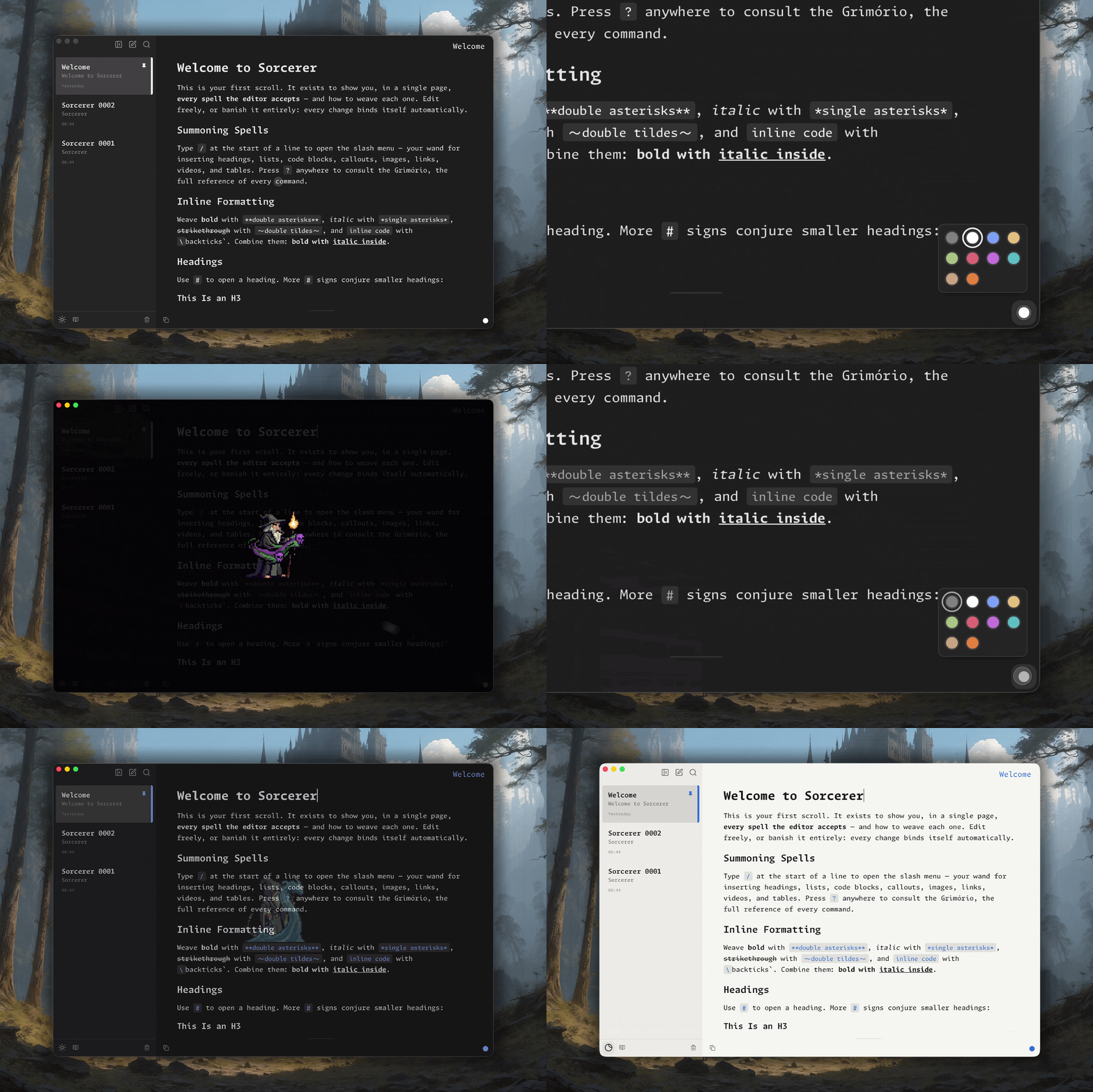
Headings, lists, task lists, code blocks, callouts, images, links, tables. Check for the Grimoire — the full command reference.
Every change saves itself straight to a markdown file on your disk. Close the app mid-sentence; the sentence is already there.
The files are the same .md any other editor opens. Nothing to export, nothing to lock you in.
What you get
Start a line with / and insert anything without lifting your hands off the keyboard. The mouse is optional.
Works with the network switched off. Nothing is uploaded, nothing is measured. The realm runs on your machine and stays there.
Each mage is one accent, placed in a few deliberate spots. Switching one animates the whole window across — the reason this page just changed colour.
The short version
No telemetry, no analytics, no crash pings. The app has no idea you exist, and it likes it that way.
No sign-up, no login, no email to start. You open it and you write. The license lives on your machine, not on a server.
Your files sit in a folder you chose. Point Dropbox or iCloud at it if you want — that's your call, not a feature we sell back to you.
No AI in the editor. No suggestions, no ghost text, no "improve" button. It's a place to think, and thinking is the part you keep.
$24.99 once. No seats, no tiers, no renewal that quietly triples in year three. Buy it, own it.
Once it's activated, it's yours. No server check that can lock you out, no forced update that changes what you paid for, no kill switch on our end.
Everything it refuses is a thing you'd otherwise have to trust someone with. Local-first isn't a feature here — it's the whole posture.
How it feels
Every block is one keystroke away — no toolbar, no menu-diving. Pick one and watch it drop into the note.
Price
Free for 14 days first. No card, no account.
Requires macOS Ventura (13) or later.
Questions
No. It's $24.99 once. No seats, no tiers, no renewal — buy it and own it for good.
Yes. Sorcerer runs entirely on your Mac. It works with the network switched off, and it never phones home — no telemetry, no analytics, no crash pings.
Your license is machine-bound but transferable. Move it to your new Mac yourself through the Portal when you replace your old one.
macOS Ventura (13) or later.
Yes — 14 days, full product, no card and no account required.
Nothing. Your notes are plain .md files sitting in a folder you chose. Any other markdown editor opens them. Leaving costs nothing.
Download it, write for two weeks, decide after.